Verdict
Apply Design kept the room closer to the original on room 01: architecture drift 17.2 vs 28.2 (lower is better). On published prices virtualstaging.ai is cheaper per staged photo: $1.25 vs $15 on the cheapest paid option.
- speed matters: room 01 came back in 38.7 s vs about 585 s.
- cost per photo decides it: $1.25 vs $15 on the cheapest paid option (Starter, $25/month).
- you need a "virtually staged" disclaimer option and a stated commercial-use licence: listed on virtualstaging.ai's pages, not listed or not verified for Apply Design.
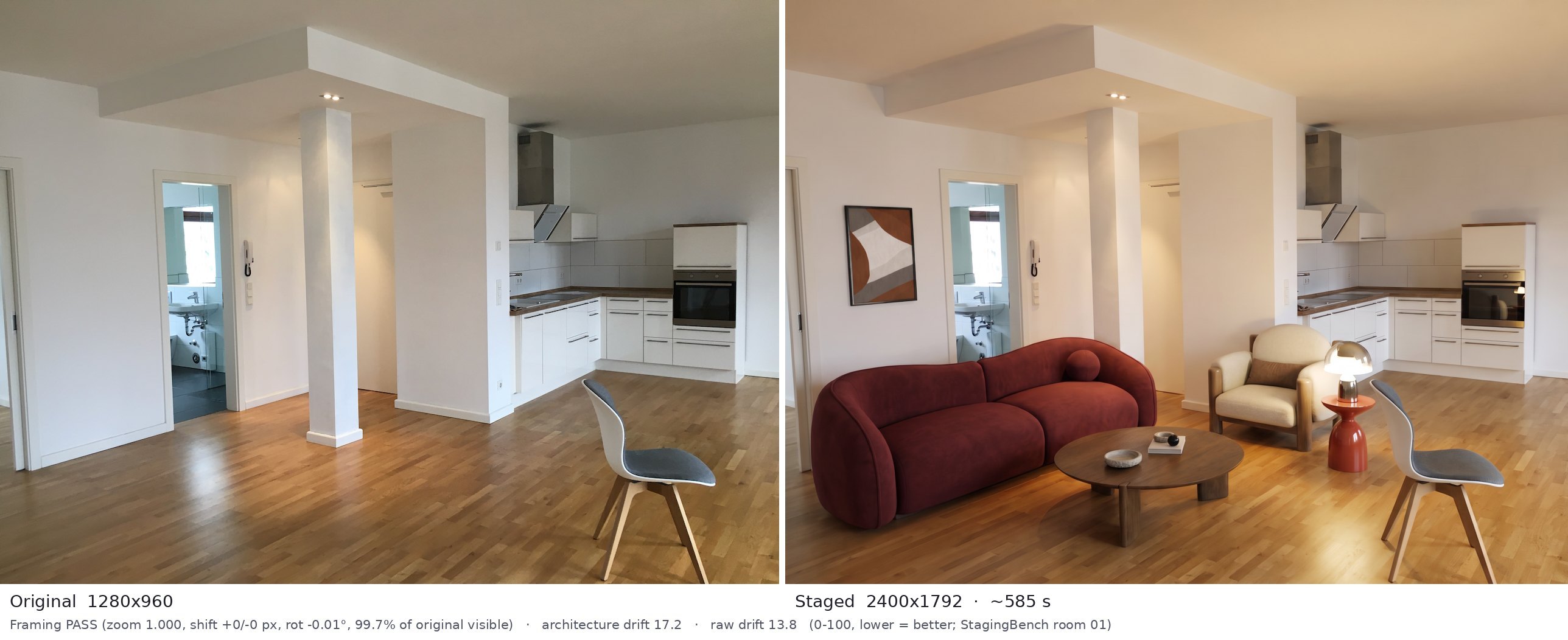
- walls, windows and doors must stay as they are: lower room 01 drift (17.2 vs 28.2).
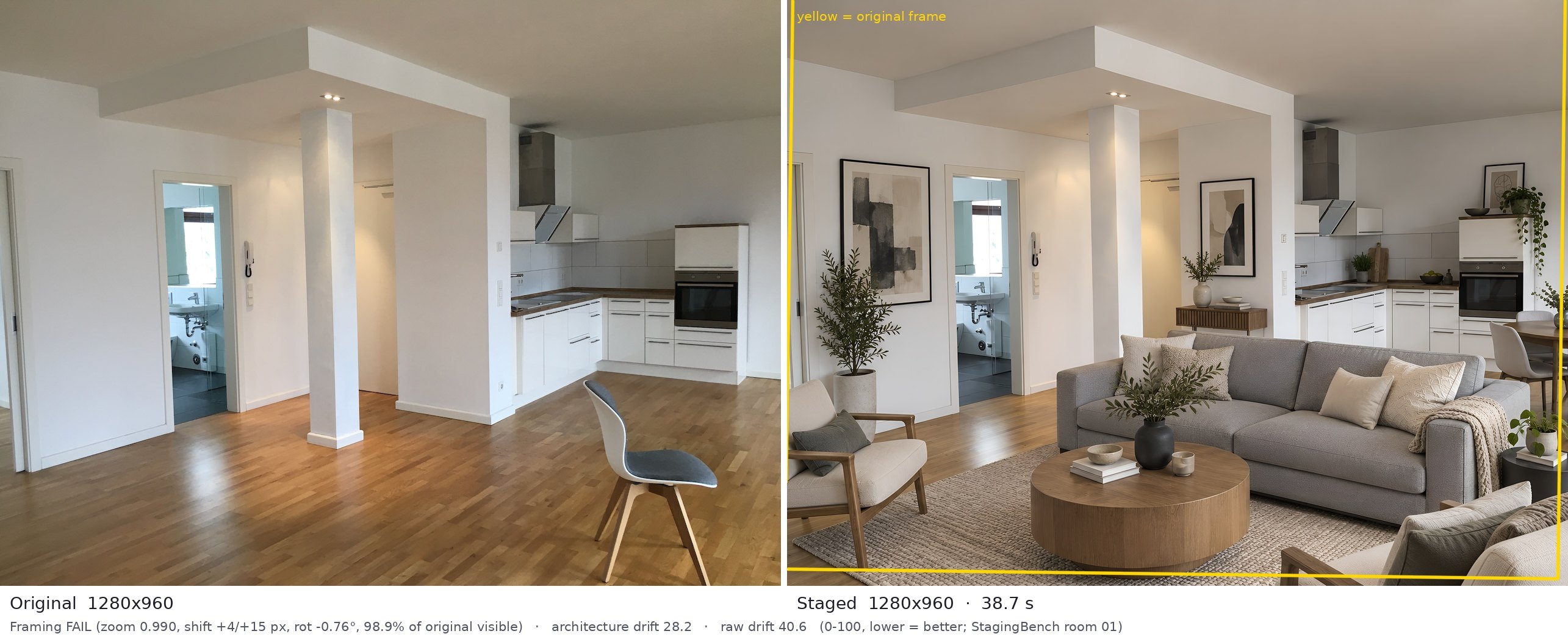
- the delivered photo must keep your exact camera frame: it passed our framing check; virtualstaging.ai failed it (zoom 0.9898; rotated -0.76 deg; 2.9% of the output is outside the original frame).
- the furniture has to look real: higher editor realism rating on room 01 (4.0 vs 3.4 of 5, one editor, not blind).
- you do not want a monthly subscription: its cheapest option is Apply Coins, up to 9, $10 one-time (per coin).
Built from the numbers below, not a paid placement. This is not a final ranking.


| Metric | virtualstaging.ai | Apply Design |
|---|---|---|
| Type | AI | AI + DIY editor |
| Tested by StagingBench | Room 01 (1 of 10) | Room 01 (1 of 10) |
| Room 01 architecture drift (lower = better) | 28.2 | 17.2 |
| Room 01 framing | Fail | Pass |
| Room 01 time to result | 38.7 s | ~585 s |
| Watermark on our free output | No | No |
| Free output size (original 1280x960) | 1280x960 | 2400x1792 |
| Editor realism, room 01 (1-5) | 3.4 | 4.0 |
| Cheapest paid option | Starter, $25/month | Apply Coins, up to 9, $10 one-time (per coin) |
| Price per photo, cheapest option | $1.25 | $15 |
| Next tier | Studio ($49/mo, 50 photos) · $0.98/photo | 10-19 coins at $8 (1.5 coins per image) · $12/photo |
| Free tier (vendor page) | Free account, no card; our account got 2 credits after email confirmation | First image free |
| Try without an account | No | No |
| Turnaround | Seconds to under a minute (vendor claim); our run 38.7 s | 15-minute turnaround (vendor claim); our run took about 585 s |
| Refund policy (vendor) | Refund within 7 days if no more than 15 images were generated | 100% money-back guarantee |
| Redo / revisions (vendor) | Unlimited revisions per image | On-the-spot revisions |
| Declutter / remove furniture | ✓ | ✓ |
| Empty-room staging | ✓ | ✓ |
| Restyle a furnished room | ? | ? |
| Day to dusk | ? | ? |
| Sky replacement | ? | ? |
| Renovation / wall & floor recolor | ? | ? |
| 360 or video | ✓ | ✓ |
| API | ? | ? |
| "Virtually staged" disclaimer option | ✓ | ? |
| Commercial-use licence stated | ✓ | ? |
Room 01: original vs staged
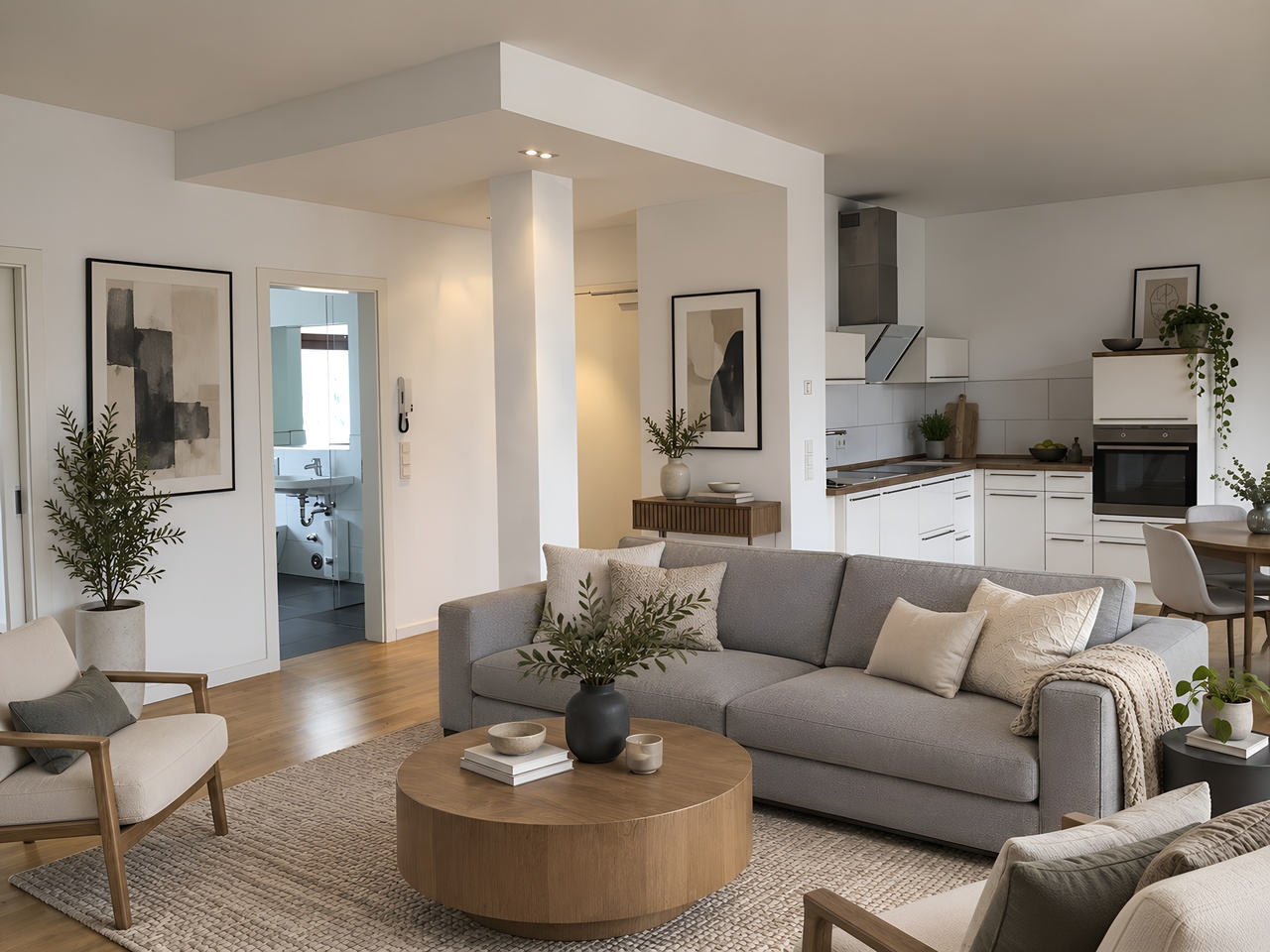
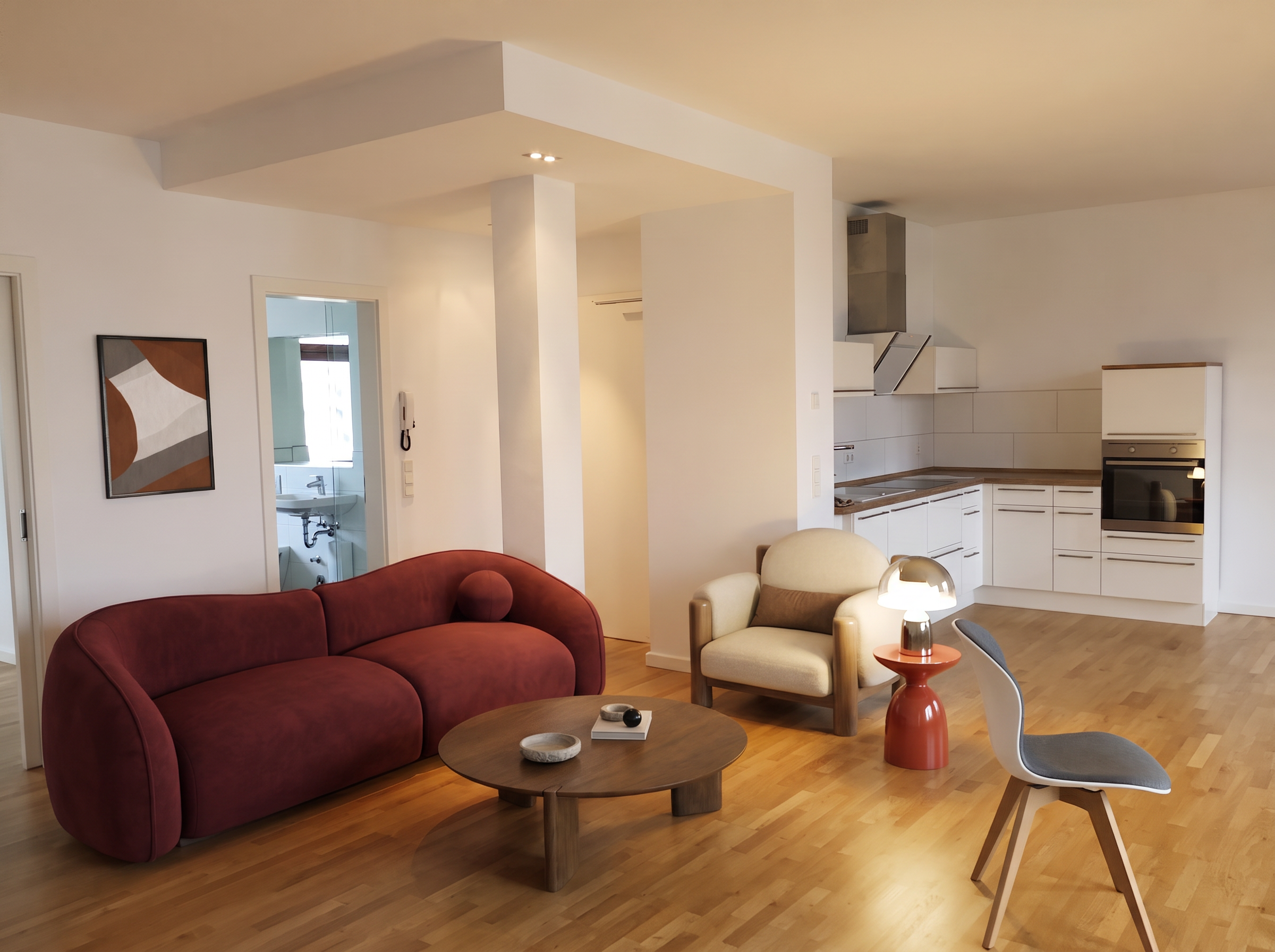
Same empty open-plan room, default settings, first output only. Each image shows the original next to the aligned output.
virtualstaging.ai · room 01
Apply Design · room 01
What we noted
virtualstaging.ai
Room 01: Highest architecture drift on room 01. The column is moved and the soffit is changed, which you can see in the comparison. It also zoomed out slightly and rotated about 0.8°, so framing fails. No watermark, same resolution as the original.
Editor notes: Living plus dining set-up suits open plan. A very large sofa plus a second sofa cut off at the bottom edge crowd the room; a dining table is cut off at the right. The building changed: the column moved left and the soffit and kitchen-side wall were redrawn.
Pricing notes: Unlimited plan $39/mo (fair use, own listings only) sits between Starter and Studio; yearly billing advertises 40% off. Credits roll over for 3 months.
Sources: virtualstaging.ai/pricing (checked 2026-10-19); virtualstaging.ai (checked 2026-10-19)
Apply Design
Room 01: Kept the frame, no watermark, larger output. Slowest by far: about 585 s (almost 10 minutes) for one image, and the free tier is a single credit.
Editor notes: Seating area fits the living zone; the kitchen is left as is. Believable sizes, though the sofa runs across the front of the bathroom doorway. Clean: no warped objects, no watermark, original chair kept intact.
Pricing notes: 20+ coins at $7 gives $10.50 per one-click image. 360 images: 2.5 coins. One-click staging costs 1.5 coins per 2D image (DIY editor: 1 coin).
Sources: applydesign.io/pricing (checked 2026-10-19); our own test log (2026-10-19)
Architecture drift runs from 0 to 100, lower is better (how much walls, windows and doors changed after aligning the output to the original). Differences of about 3 points or less are within measurement noise. Framing fails if the tool cropped, zoomed, shifted or rotated the photo beyond our thresholds. Editor realism ratings are one person's 1-5 ratings, not blind. Details: methodology. Partial results: 1 of 10 rooms scored for most tools (Collov AI also has rooms 02-05, Pedra rooms 02-06 and Roomagen room 02. The leaderboard still compares room 01 only.). Prices from vendors' public pages, checked 19 October 2026; EUR converted at the ECB rate (1.1253, 2026-10-16). Nobody paid for a placement, and affiliate links never change the order.
Related pages
- virtualstaging.ai review and test data
- Apply Design review and test data
- virtualstaging.ai pricing
- Apply Design pricing
- virtualstaging.ai alternatives
- Apply Design alternatives
- virtualstaging.ai vs Collov AI
- virtualstaging.ai vs REimagineHome
- Pedra vs virtualstaging.ai
- Roomagen vs virtualstaging.ai
- TINTY vs virtualstaging.ai
- Collov AI vs Apply Design
- REimagineHome vs Apply Design
- All comparisons
- How we test
- Virtual staging MLS rules